📱 Console — Mobile Control Panel
The Console is a lightweight web interface with just the
controls — no 3D space scene. Open space.woojinkim.org/console
and the cockpit's six monitors plus your account unfold as mobile-friendly tabs:
read your status at a glance and fire, align, set a destination, and queue a flight plan — all
with your thumbs.
Two ways to use it
🖥️ + 📱 Like mission control
Put the ship on a big monitor or TV in external or cockpit view to enjoy the scenery, and fly it from the phone in your hand. Watch the screen while you fire and route on the phone — a real mission-control setup.
📱 Phone only
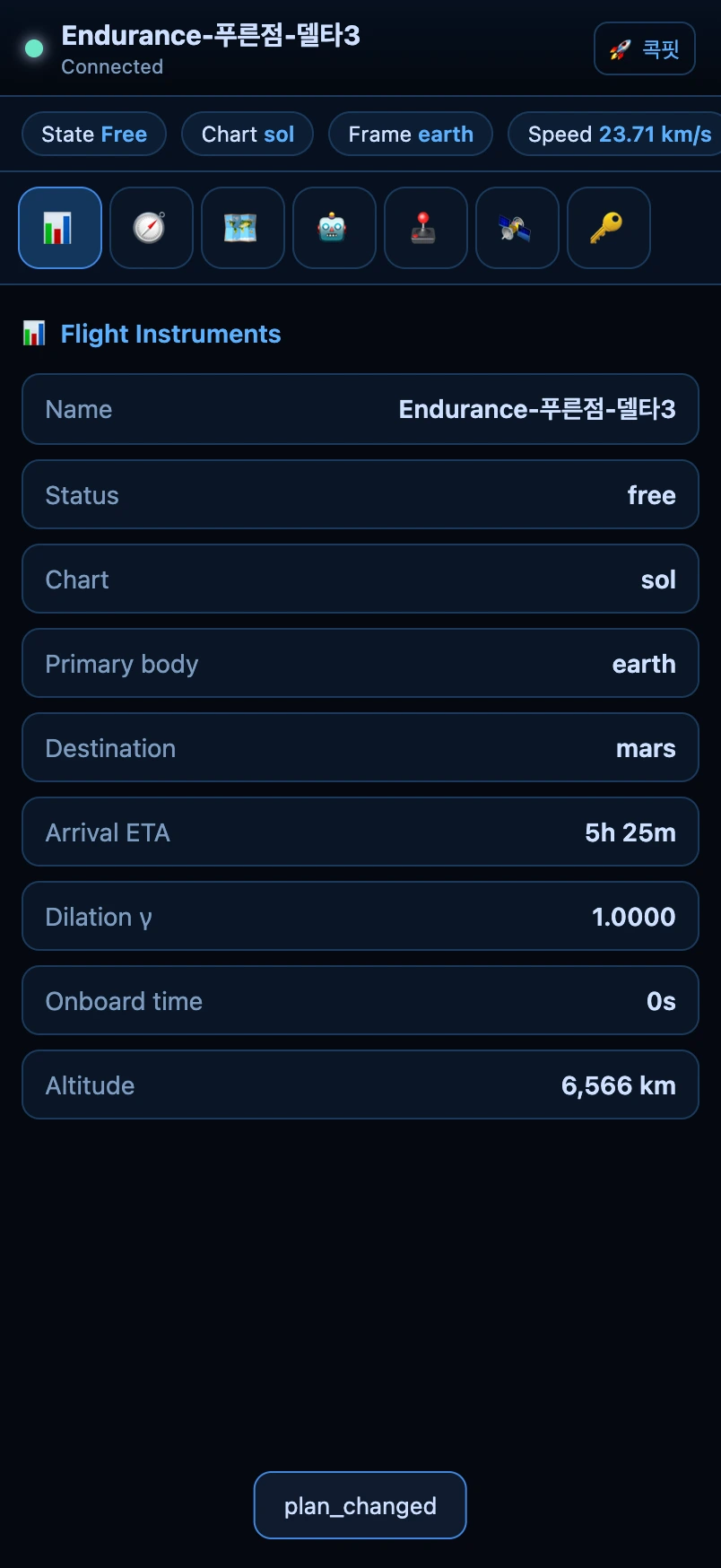
No second screen needed. The console alone lets you read your status (speed, altitude, γ, arrival ETA), fly directly (fire, align, throttle), and queue a flight plan. Perfect for idle-style travel — plot a route on your phone during the commute.
In practice — reading status and flying directly
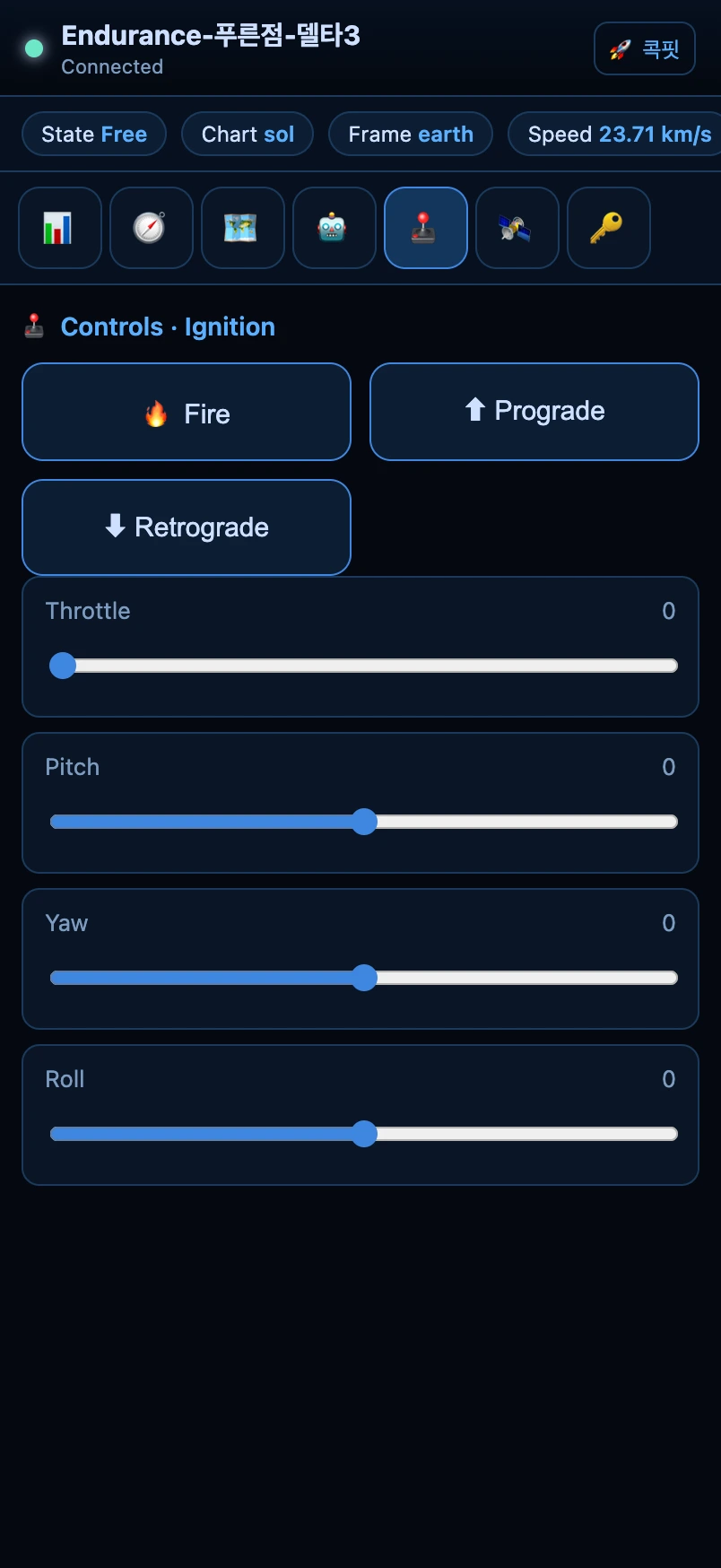
The status bar at the top (state · chart · primary body · speed) and the tab bar below it are always present. The 🚀 Cockpit link up top jumps to the 3D cockpit anytime. Below are the ① flight-instruments and ⑤ controls tabs in action.
Picking a destination & flight plan — route from your phone
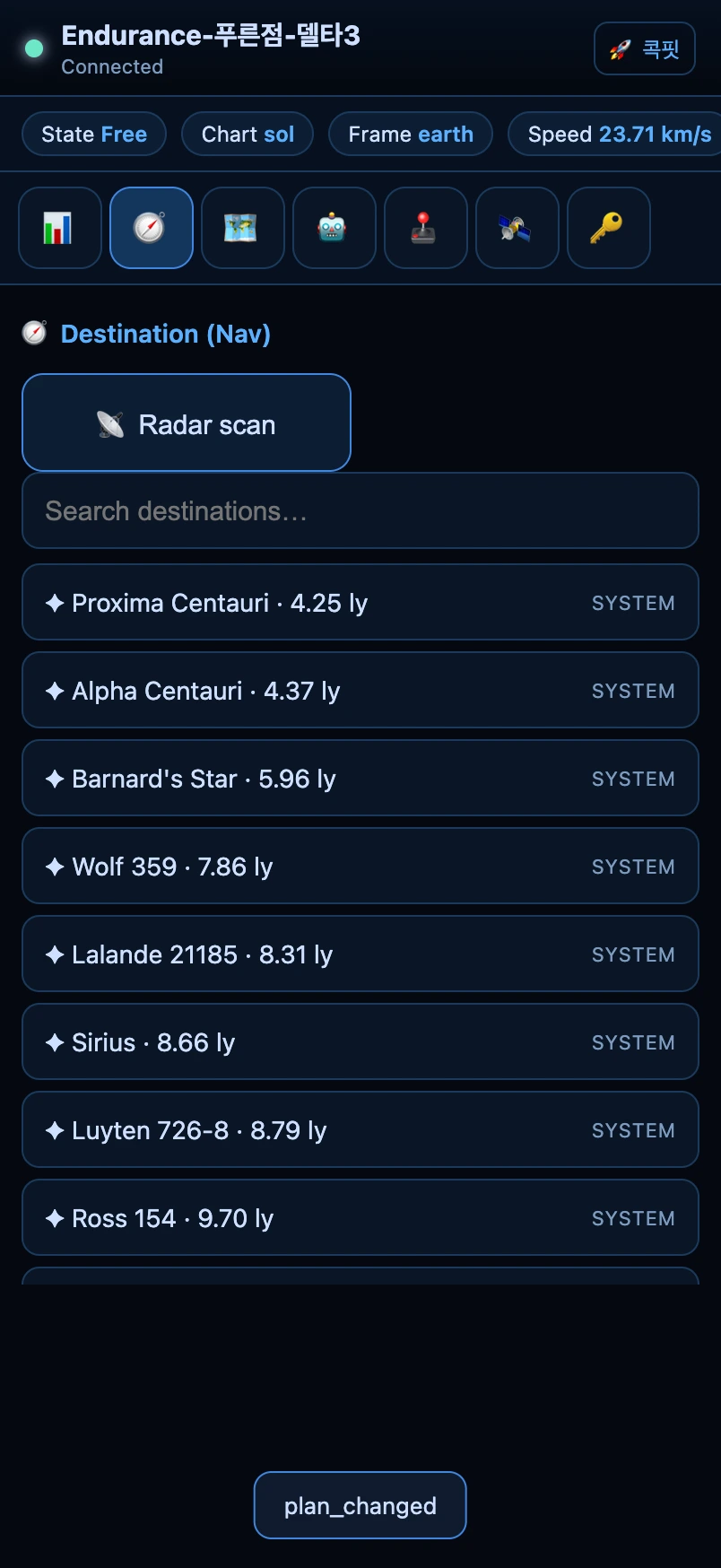
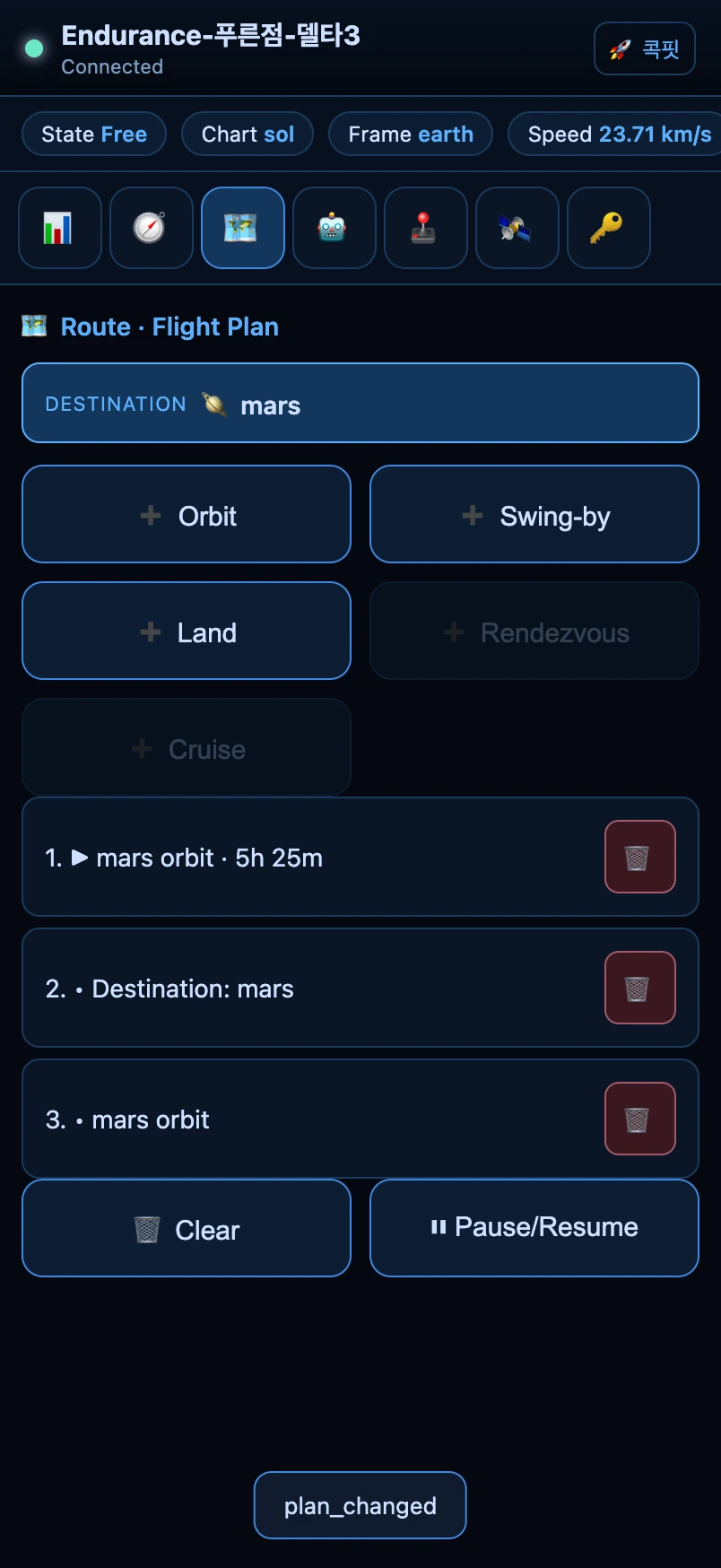
On the 🧭 Destination tab, scan with 📡 Radar, search, or pick a body from the by-distance list. On the 🗺 Plan tab, queue that destination as an ➕ Orbit · Swing-by · Land · Rendezvous · Cruise step and the autopilot flies them in turn. Queued steps stack as cards; remove with 🗑 or pause with ⏸.
The seven tabs
The console's tabs map 1:1 to the cockpit's six monitors plus account. Everything you do in the cockpit, you can do here.
| Tab | Role |
|---|---|
| 📊 Flight Instruments | Speed, altitude, γ, arrival ETA, time — status (read-only). |
| 🧭 Destination | Radar scan · search · set a destination from the by-distance list. |
| 🗺 Route | Queue orbit/swing-by/land/rendezvous/cruise steps, manage the queue. |
| 🤖 Autopilot | ⚡ fastest arrival · 🧭 orient · 🛰 orbit insert · 🛬 land · 🎯 rendezvous track · 🚀 cruise · ⏩ skip cruise · ⏹ stop. |
| 🕹 Controls | 🔥 fire · undock/launch · align · throttle/pitch/yaw/roll sliders. |
| 🛰 Comms | Send an emoji · 📍 deploy beacon · 📖 log a guestbook visit. |
| 🔑 Account | Rename · recovery code · passkey · switch ships. |
※ Screenshots are real console captures taken automatically with a headless browser (phone aspect). How to split many screens → Multiview · Many Screens.