🔭 Sky Appointments · Logbook
The universe keeps its own calendar. SPACE's bodies move deterministically along real measured orbits, so from the exact spot your ship occupies right now the game can work out which celestial events will happen at any future moment. Two planets overlapping in your sky — a conjunction; a near-miss pass — an appulse. These aren't authored content: they're generated by the real universe itself, so they're infinite and always fresh.
That gives the game a simple loop: reserve a sky event at a known future time, then be there to look up when it happens. Witness a moment you reserved and it's stamped into your logbook forever. There's no rush — real astronomical events are periodic, so they always come around again.
See what's coming — 🔭 Sky (the ephemeris)
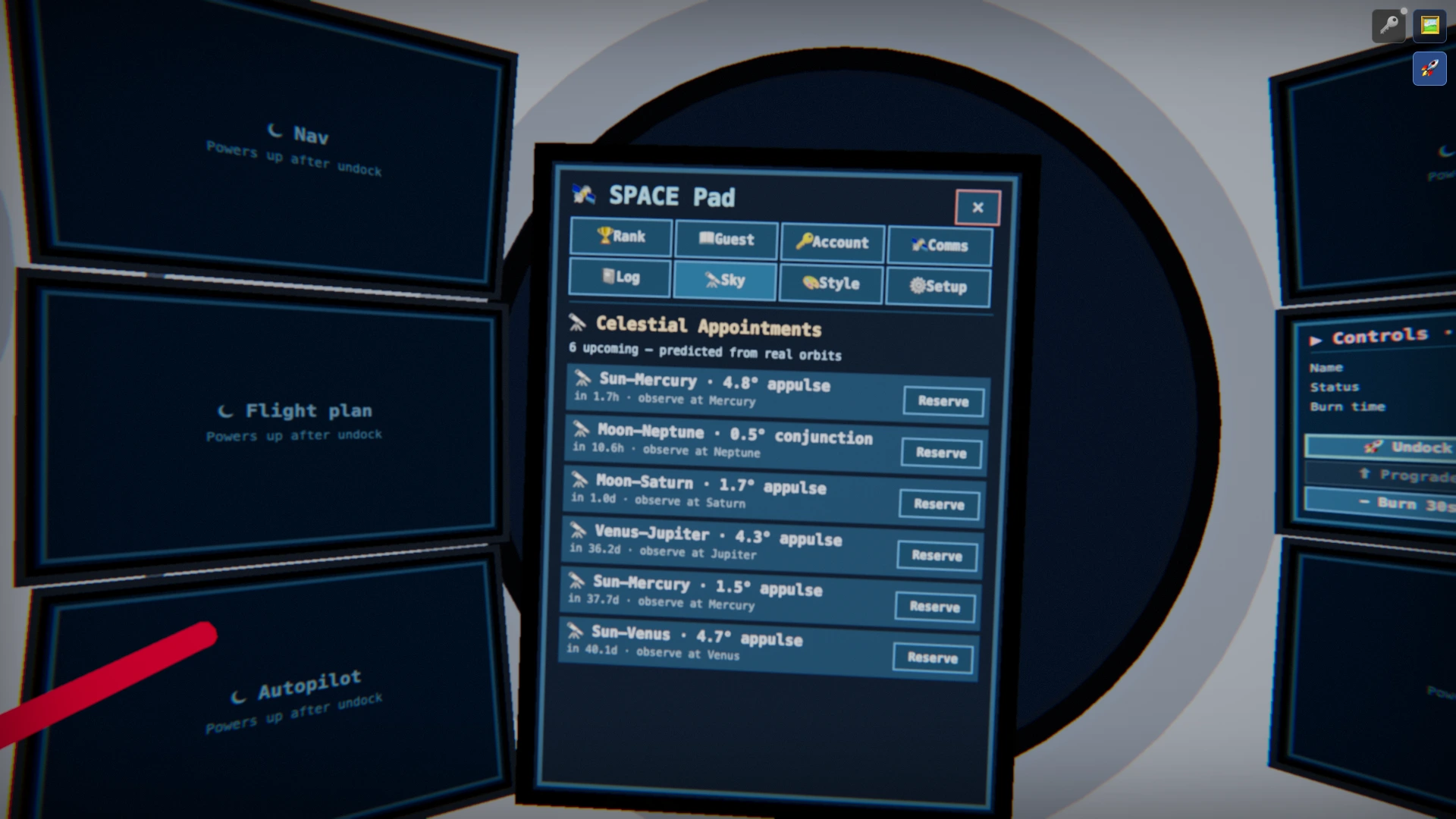
Open the virtual iPad (→ Virtual iPad) and tap the 🔭 Sky tab. It lists the celestial appointments approaching in your sky right now, soonest first. Each one is forecast from real Kepler orbits and tells you:
- Which two bodies meet (e.g. Moon–Saturn, Venus–Jupiter, Sun–Mercury)
- Their closest angular separation in degrees — under 1° is a conjunction, wider is an appulse
- When it happens — a live countdown from now
- Where it looks best — the body to observe from (fly near it for the most dramatic view)
Make the appointment — Reserve
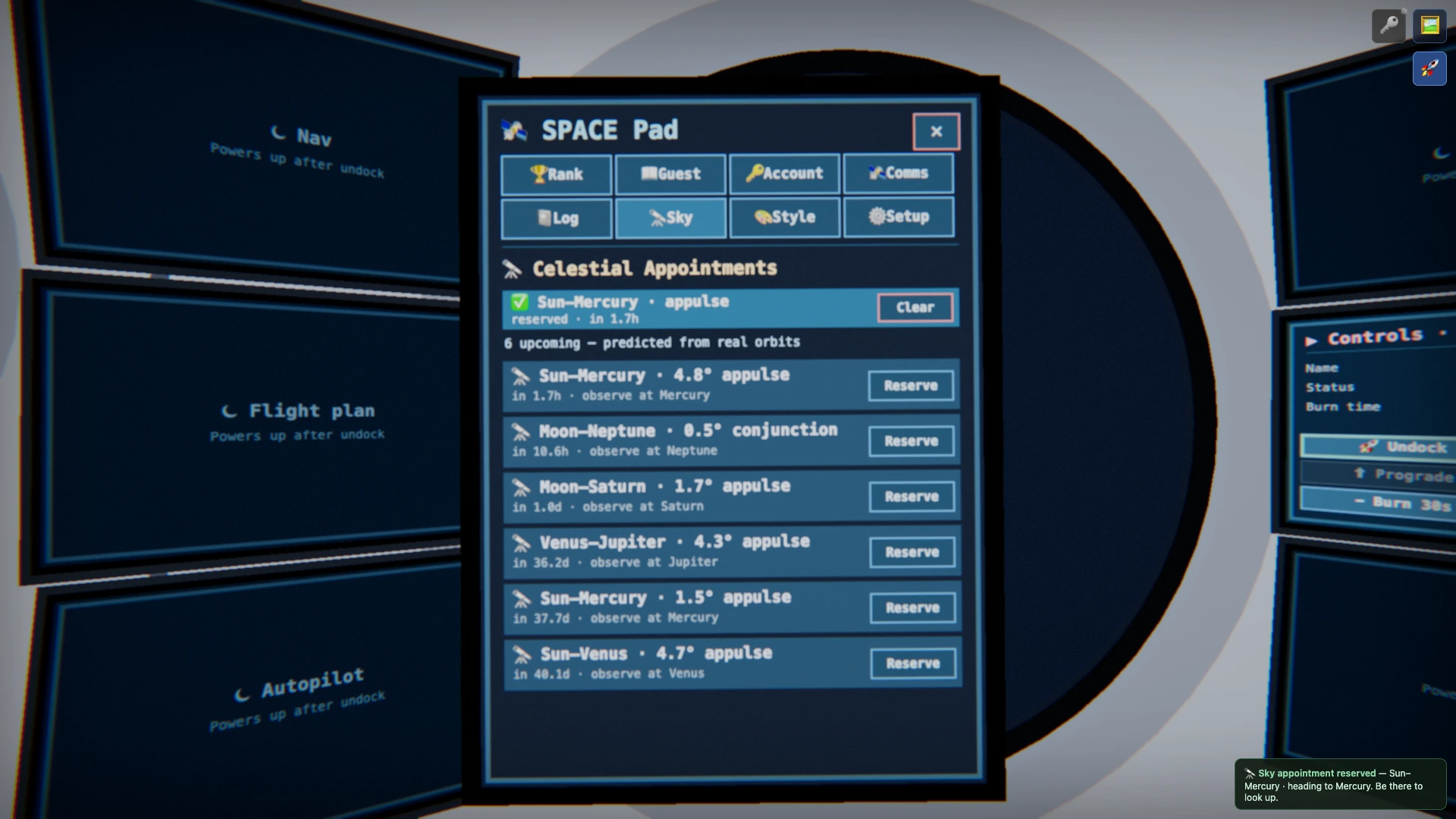
Tap Reserve next to an event and two things happen at once.
- It pins to the top of the Sky tab as your reserved appointment and shows on the HUD as a standing Sky appointment line — so you can't forget it.
- Your destination is set automatically to the best body to watch from. Engage the autopilot (→ Five Ways to Arrive) and the server sails you there even while you're away, putting you in the front-row seat as the event nears.
The HUD also shows the arrival time to your destination. The simulation runs 1:1 with real time, so that's a real wall-clock moment — note it down and drop back in then to watch both the arrival and the event.
Witnessing the moment
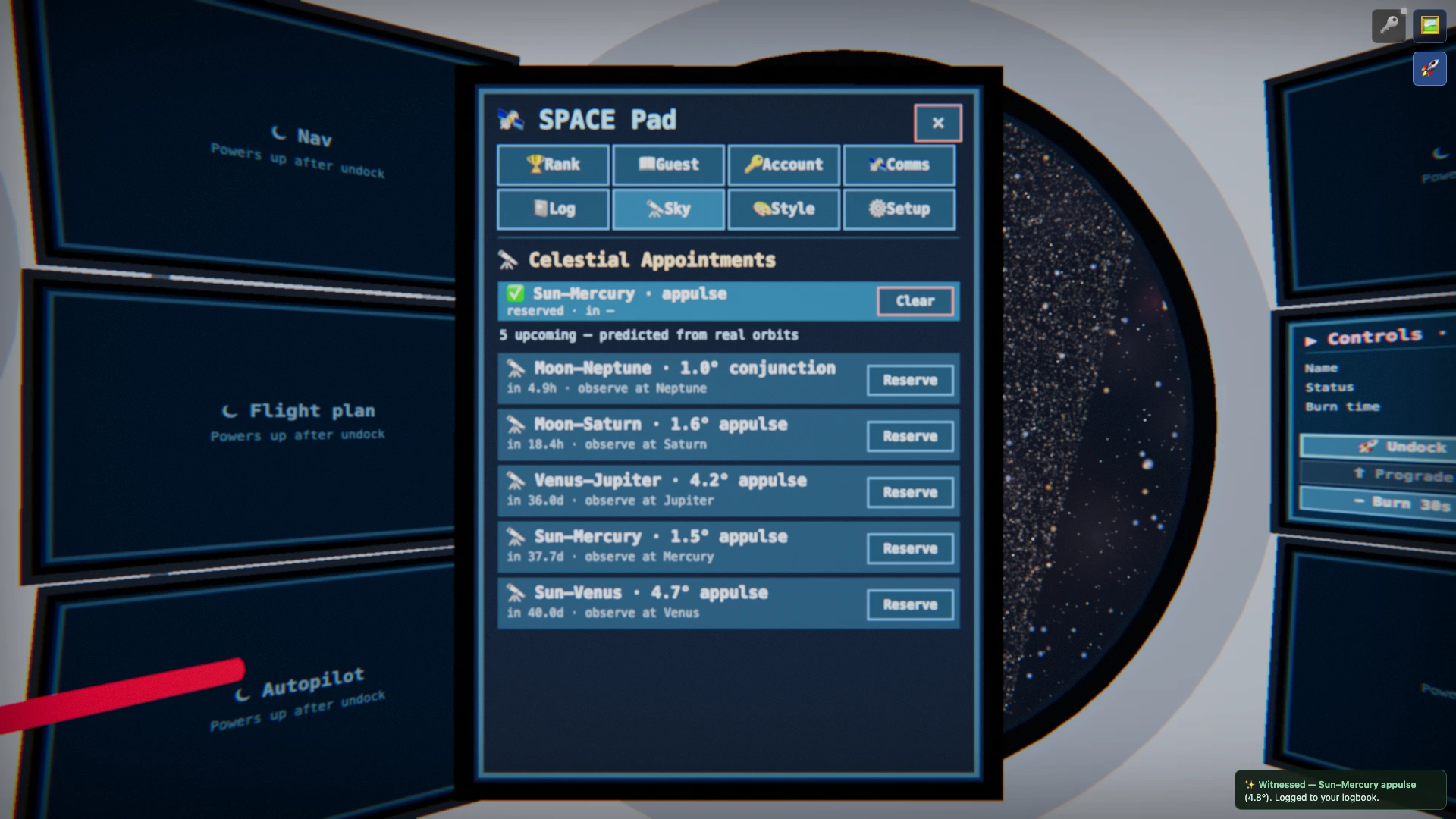
Be there at the reserved time and the game registers a witness — after re-checking that the two bodies really are close in your sky right now. At that instant the view flashes toward them, a notice reads "✨ Witnessed — Sun–Mercury appulse (4.8°)", and it's logged at once.
What stays — 📓 Logbook
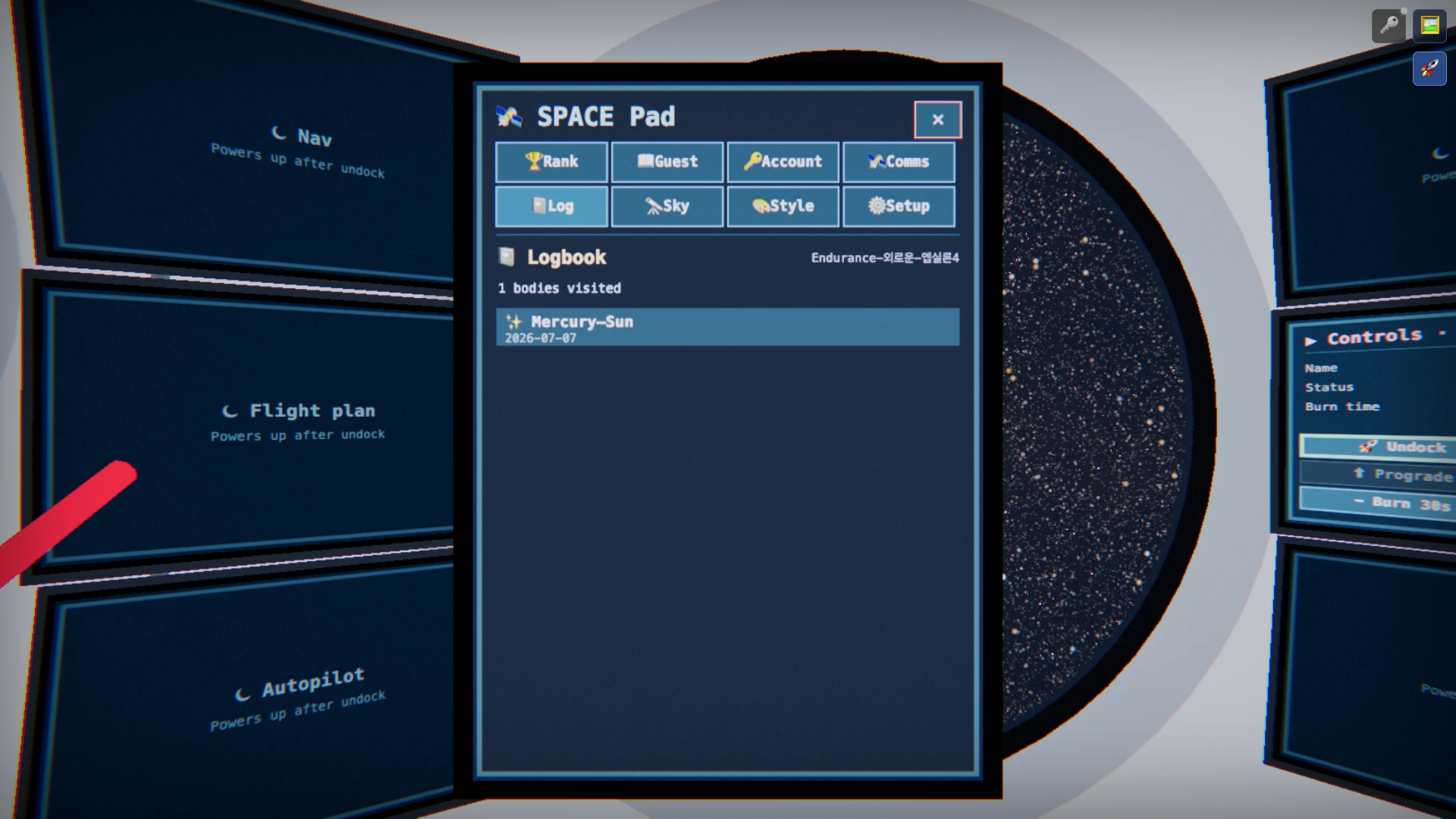
The virtual iPad's 📓 Log tab is the story of where this ship has been: bodies flown past, places landed, visits logged, and the ✨ celestial appointments you've witnessed, newest first — your own personal almanac. It's a record that grows the more you return, so it thickens over a long voyage.
The log continues outside the tablet, too. The HUD tracks your voyage distance (cumulative), burn distance and deceleration distance (how far you've come under thrust and under retro-burn), and how many bodies you've flown past or landed on. The world keeps sailing while you're away, so when you return, "how far you've come" is waiting in those numbers.